


© 2026 minigame.com

Junte-se aos Minis com seus amigos


Recomendado


Drawing Horse Coloring
- Classificação
- 5
- Orientação
- Vertical
- Data de lançamento
- 2026-05-25
Jogue Drawing Horse Coloring Online Gratuitamente
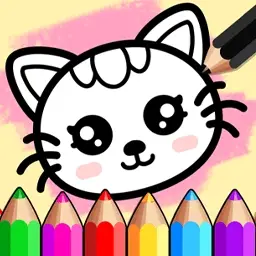
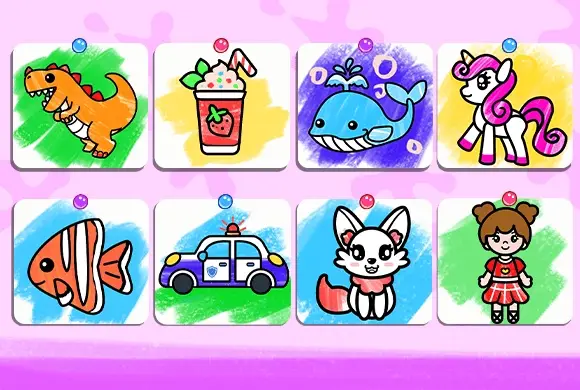
Drawing Horse Coloring é um estúdio de arte digital encantador e educativo, feito para inspirar a criatividade nas crianças pequenas. O jogo oferece uma rica variedade de temas, incluindo "Animais de Estimação", "Conto de Fadas" e "Cidade", permitindo que os jogadores escolham entre figuras icônicas como cavalos majestosos, cachorrinhos fofos e unicórnios mágicos. A experiência principal se baseia no traçado guiado, em que as crianças seguem linhas pontilhadas para aprender a desenhar formas e personagens básicos passo a passo. Assim que o esboço está pronto, uma ampla paleta de cores vibrantes e ferramentas artísticas fica disponível para dar vida à sua obra. Seja usando o modo "Desenho Livre" para liberdade total ou o modo "Fundo" para criar cenários completos, este jogo proporciona um ambiente seguro, divertido e relaxante para as crianças desenvolverem habilidades motoras finas e expressão artística. É o caderno de desenho digital perfeito para futuros artistinhas.
Principais Recursos do Jogo
Traçado Educativo: Aprenda a desenhar passo a passo seguindo contornos pontilhados intuitivos de diversos animais e objetos. Seleção Rica de Temas: Explore várias categorias como Conto de Fadas, Animais de Estimação e Cidade, com dezenas de personagens únicos. Ferramentas Coloridas: Acesse uma ampla gama de cores vivas e pincéis artísticos para personalizar cada criação. Liberdade Criativa: Alterne entre desenho guiado e um bloco em branco para explorar sua arte sem limites.
Como Jogar e Dominar
Para começar sua jornada artística em Drawing Horse Coloring, primeiro selecione uma categoria no menu superior, como "Animais de Estimação" ou "Conto de Fadas". Navegue pelas opções de personagens e toque naquele que deseja desenhar, como um cavalo ou um pássaro. Na tela de desenho, você verá uma linha pontilhada representando a forma do personagem. Use o ícone em formato de mão para seguir os pontos de um extremo ao outro; o jogo completará automaticamente a linha conforme você arrastar o dedo ou o mouse. Quando todo o contorno estiver traçado, você poderá entrar na fase de colorir. Escolha cores diferentes da paleta e toque nas áreas específicas do seu desenho para preenchê-las. Se preferir começar do zero, selecione "Desenho Livre" no menu principal para criar o que quiser do seu jeito. Quando sua obra-prima estiver pronta, você pode salvá-la ou compartilhá-la!
Controles do Jogo
Use o mouse ou a tela sensível ao toque para clicar e arrastar, traçando linhas e selecionando cores.
Perguntas Frequentes (FAQ)
P: Posso recomeçar meu desenho se cometer um erro? R: Sim, normalmente há um botão de atualização ou apagar para limpar o esboço atual e começar de novo. P: Preciso seguir exatamente as linhas? R: No modo de traçado, sim — seguir as linhas ajuda a completar corretamente o personagem. Já no modo livre, você pode desenhar onde quiser! P: Existe um limite de cores que posso usar? R: Não, você pode usar quantas cores desejar da paleta disponível para deixar seu cavalo único.
Flying Knife Juice
 338.1K
Soccer Mania
856.5K
Bubble Spinners
392.5K
Dream Garden
488.4K
Orbit Defense
805.6K
Ball Run
795.9K
Circle Crash
759.6K
Circle Leap
421.4K
Geometry Jump
761.4K
Knife Hits
691.1K