





Recommended



Sweet Princess Dress Up Salon
- Rating
- 5
- Orientation
- Portrait
- Release Date
- 2024-07-08
What is Sweet Princess Dress Up Salon
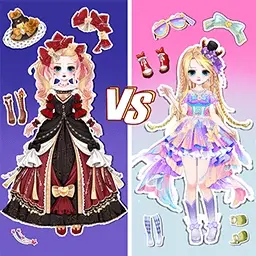
Sweet Princess Dress Up Salon is an enchanting 2D anime-style fashion game designed for players who love creativity and style. In this vibrant world, you take on the role of a personal stylist for a beautiful princess. The game features an extensive wardrobe filled with elegant dresses, sparkling accessories, and trendy hairstyles. What makes this game unique is its exciting "Gacha" or blind box mechanic, where you can unbox mysterious gift packs to discover rare and high-quality fashion items. Whether you are aiming for a classic royal look or a modern magical girl aesthetic, the possibilities are endless. With its soothing music, smooth animations, and highly detailed artwork, Sweet Princess Dress Up Salon provides a relaxing and rewarding experience for anyone looking to express their inner fashionista.
Key Game Features
Endless Wardrobe Combinations: Mix and match hundreds of dresses, skirts, shoes, and jewelry to create your perfect princess look. Exciting Blind Box Unboxing: Unlock rare and premium fashion items by opening magical clothing surprise boxes and gift packs. Detailed Customization: Change everything from hair color and eye shape to intricate jewelry and background scenes. Progressive Mission System: Complete specific fashion challenges and missions to earn stars and level up your styling skills.
How to Play & Master
Starting your fashion journey in Sweet Princess Dress Up Salon is easy and fun. When you begin, you will see your character in a cozy pink dressing room. To start styling, click on the icons on the left and right sides of the screen. These icons represent different categories like hairstyles, dresses, shoes, and accessories. To acquire new items, visit the "Blind Box" section where you can use gems to draw for random clothing sets. Once you have items in your inventory, simply tap on them to see them instantly applied to your princess. You can also participate in mission modes (located in the bottom menu) where you must dress according to a specific theme, like "Ice Queen" or "Spring Picnic." After completing a look, hit the checkmark button to receive your rating. Use the stars and coins you earn to unlock even more premium items in the shop. Don't forget to save your favorite designs to your gallery!
Game Controls
Simply tap or click on the UI icons to select clothing categories and tap on specific items to dress the character. Use drag-and-drop actions for certain mini-games.
Frequently Asked Questions (FAQ)
Q: How do I get rare dresses?
A: You can obtain rare items by opening Blind Boxes in the main menu or by completing high-level missions.
Q: Are there different themes to follow?
A: Yes, the mission mode provides various themes. You need to match the clothing to the theme to get a high star rating.
Q: Can I change the character's makeup?
A: Absolutely! You can change eye shapes, lip colors, and even skin tones in the facial customization menu.
Halloween Craft
 740.1K
Dracula Jump
570.4K
Halloween Blocks
616.7K
Halloween 2048
891.8K
Halloween Knife
226.2K
Color nuances
537.8K
Mahjong Connect Halloween
283.6K
Halloween Hit
847.0K
Halloween Idle World
498.4K
Sniper Shooter2
752.0K