






Recommended












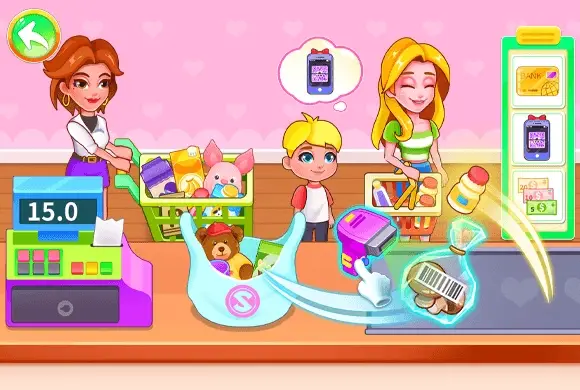
Supermarket Go Shopping
- Rating
- 5
- Orientation
- Landscape
- Release Date
- 2026-06-09
What is SupermarketGoShopping
SupermarketGoShopping is a vibrant and educational 2D simulation game that invites young players to step behind the checkout counter of a bustling grocery store. In this interactive world, children take on the role of a supermarket cashier, learning the ins and outs of grocery management in a fun and safe environment. The game features a wide variety of fresh vegetables, including broccoli, carrots, and eggplants, each requiring proper handling. Players will learn to identify different food items, weigh them accurately on a digital scale, and use a scanner to process barcodes. With its bright cartoon graphics, cheering sound effects, and simple drag-and-drop mechanics, SupermarketGoShopping provides a rewarding experience that helps build early math and sorting skills. It is an ideal digital playground for preschoolers and young children who enjoy role-playing real-world activities while developing their observation and cognitive abilities.
Key Game Features
Educational Fun: Teaches children to recognize various vegetables and understand basic supermarket operations through play. Realistic Checkout Experience: Kids can weigh items on a digital scale and scan barcodes just like in a real store. Engaging Visuals: Bright 2D cartoon art style and friendly user interface designed specifically for young learners. Skill Development: Encourages cognitive development, item matching, and fine motor skills through interactive drag-and-drop tasks.
How to Play & Master
Starting your job as a cashier in SupermarketGoShopping is easy and intuitive! When the game begins, you will see a green shopping basket filled with various fresh vegetables on the left. Your goal is to process every item in the basket. First, use your finger or mouse to tap and drag a vegetable from the basket onto the weighing scale in the center of the screen. Once the item is placed on the scale, look at the blue control panel on the right. You must identify and tap the correct icon that matches the vegetable you are currently weighing. For example, if you put broccoli on the scale, find and click the broccoli button. After selecting the right item, a barcode will appear; the scanner will automatically process it, and the item will be added to the customer's total. Continue this process for all the vegetables in the basket until all items have been scanned and the shopping trip is complete!
Game Controls
Use your mouse or finger to drag vegetables from the basket to the scale. Tap the corresponding buttons on the touch panel to scan items.
Frequently Asked Questions (FAQ)
Q: What should I do if I can't find the right icon?
A: Look closely at the shape and color of the vegetable on the scale; the icons on the right panel are designed to look exactly like the food.
Q: Can I scan the items in any order?
A: Yes, you can pick any vegetable from the basket to start with, as long as you process all of them.
Q: Is there a time limit to finish the checkout?
A: No, the game is designed for learning and relaxation, so children can play at their own pace.
Bird Sort Puzzle
 191.3K
Goods Triple Match
674.8K
Pixel Color
498.4K
Color Border
260.2K
Egg Shooter Dinosaur
556.1K
Rebound Star
546.7K
Shaving My Body
316.7K
Stop Them All
328.6K
Happy Match Together
215.0K
Knife Throwing
891.8K