





Recommended

Star Strike
- Rating
- 5
- Orientation
- Portrait
- Release Date
- 2024-10-25
What is Star Strike
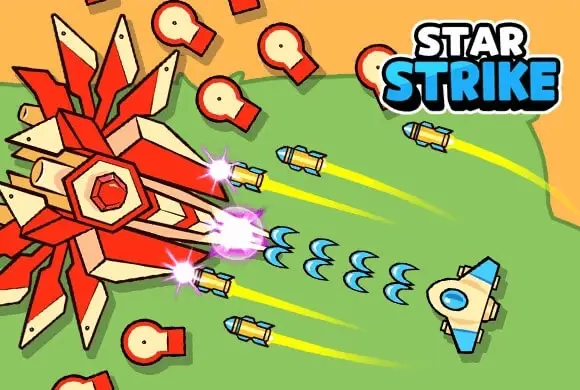
Star Strike is an addictive, fast-paced roguelike survival action game where you must fight off endless swarms of relentless alien enemies. Piloting a nimble combat unit, your main objective is to maneuver around the battlefield, dodging enemy attacks while your weapons automatically fire at the approaching hordes. As you successfully mow down waves of foes, they drop precious green gems. The game features a unique progression system: between survival waves, you enter an inventory shop. Here, you can spend your collected gems to purchase a variety of weapons, such as machine guns, shotguns, cannons, and spinning blades. By strategically merging identical weapons, you can upgrade them into much more powerful, higher-tier versions. With its satisfying "mow down" gameplay, strategic weapon-merging mechanics, and escalating wave difficulty, Star Strike offers a thrilling, stress-relieving experience!
Key Game Features
Satisfying Mow-Down Combat: Experience ultimate stress relief as you destroy massive swarms of enemies with automatic fire. Weapon Merging System: Buy weapons in the shop and merge identical ones to create powerful, upgraded gear. Roguelike Survival: Face increasingly difficult waves of enemies and see how long you can survive the onslaught. Diverse Arsenal: Equip shotguns, machine guns, cannons, and orbital blades to customize your ultimate combat build.
How to Play & Master
Getting started with Star Strike is highly intuitive. When you start a level, you will be prompted to "Move into the circle" to begin the wave. Once the countdown starts (e.g., "Survive for 14 seconds"), swarms of red, alien-like enemies will spawn and close in on your position. Your character shoots automatically at the nearest enemies. Your only job during the wave is to use the virtual joystick to steer your character. You must constantly keep moving to avoid being touched by the enemies. Use "kiting" strategies—running in large circles while dragging the enemies behind you—to ensure your auto-attacks slowly whittle down the swarm safely. As enemies are destroyed, they leave behind green gems. Try to collect as many as possible before the timer runs out! Once you survive the wave, you will be taken to the "Inventory/Shop" screen. Here, you can use your collected gems to buy new weapons. If you buy or already have multiple weapons of the same type and level (for example, two basic Shotguns), you can drag one onto the other to "Merge" them into a single, much stronger Level 2 Shotgun. Equip your best weapons into your active slots, hit "GO!", and prepare for the next, more challenging wave!
Game Controls
Mobile/Tablet: Touch and drag the on-screen virtual joystick to move your character. Shooting is automatic. In the shop, tap and drag weapons to merge or equip them. PC/Browser: Click and drag the mouse to control movement, or use the WASD/Arrow keys if supported. Click and drag items in the shop menu.
Frequently Asked Questions (FAQ)
Q: How do I make my weapons stronger?
A: You need to merge them! Buy multiple copies of the same weapon in the shop, then drag and drop them onto each other to combine them into a higher-tier, more powerful version.
Q: Why am I getting overwhelmed so quickly?
A: Never stand still. Always keep moving to group the enemies behind you (kiting). If your damage is too low, focus on surviving and collecting gems to merge better weapons in the next shop phase.
Q: What are the green gems used for?
A: The green gems are the in-game currency. They are used exclusively in the shop between waves to purchase new weapons and power-ups.
Shoot Hero
 681.2K
Idle Gun
219.7K
Sniper Attack
156.2K
Heli Monsters
368.8K
Tank War Machines
204.6K
Star Plane
428.1K
Shooting Car
830.8K
Endless Battle
147.0K
Tiger Tank
543.2K
Island Defense War
510.3K