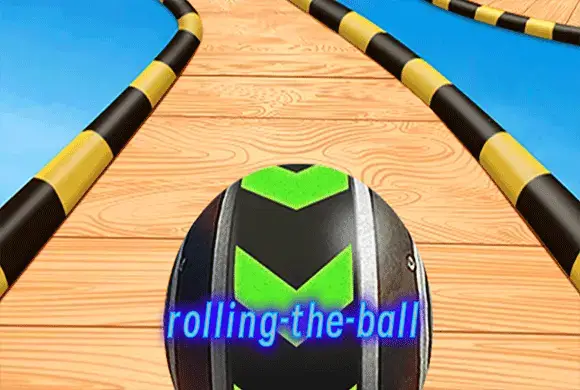
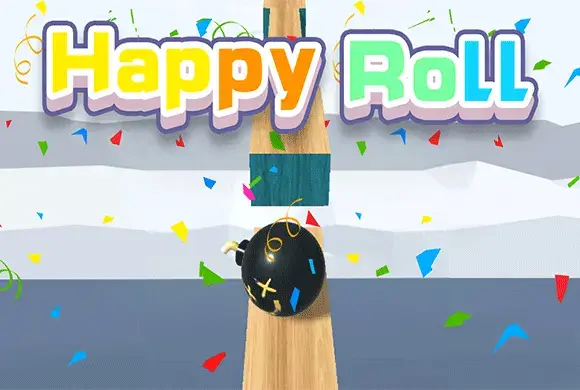
Rolling Ball 3D is a pulse-pounding arcade runner that challenges your focus, precision, and reaction time. In this visually stunning 3D world, you take control of a marble racing across narrow wooden tracks suspended high in the air. The concept is simple but the execution is demanding: keep the ball on the path at all costs. As the speed increases, you must navigate sharp turns, steep drops, and unexpected obstacles that threaten to send you plummeting into the abyss. Every level features a unique environment, from lush forests to futuristic cityscapes. Along the way, you can collect gems and coins to unlock a variety of themed ball skins, such as basketballs or metallic orbs. Whether you are looking for a quick stress-reliever or a hardcore challenge to prove your dexterity, Rolling Ball 3D offers an addictive gameplay loop that keeps you coming back for "just one more try."
Challenging Physics Gameplay: Experience realistic ball movement and momentum that requires delicate touch and constant adjustment to stay on the narrow tracks. Diverse 3D Environments: Race through beautifully rendered stages featuring varied backgrounds like forests, snowy peaks, and modern cities that keep visuals fresh. Unlockable Skins: Collect coins to customize your experience with various ball designs, ranging from classic marbles to sports balls like basketballs. Increasing Difficulty: Each level introduces tighter turns and more complex path layouts, ensuring that your skills are constantly being put to the test.
Getting started in Rolling Ball 3D is easy. Once the level begins, your ball will start rolling forward automatically. Your primary goal is to guide the ball safely to the finish line without falling off the edges. To move the ball, simply slide your finger or mouse left and right. Precision is key—oversteering will cause the ball to fly off the track, while understeering might lead you straight into an obstacle or a gap. Look ahead to anticipate upcoming turns and adjust your position early. Passing through gold hoops or checkpoints will save your progress within the level and boost your score. If you fall, you can restart from the last checkpoint. Use the rewards you earn at the end of each stage to visit the shop and purchase new ball styles to show off your progress!
Mouse/Touch: Click and drag left or right (or slide on your screen) to steer the ball's direction.
Q: Why does the ball feel heavy to turn? A: The game uses physics-based movement. Build up your steering early before a sharp curve to maintain control. Q: How do I get the basketball skin? A: You can purchase it in the shop using the gold coins you collect during your runs or by reaching specific levels. Q: Is there a way to slow down the ball? A: No, the ball moves at a constant or increasing speed. Success depends entirely on your steering reflexes.