





Recommended






Musicat
- Rating
- 5
- Orientation
- Portrait
- Release Date
- 2024-02-21
What is Musicat:Play Rhythm Games with Cute Cats & Instruments
Welcome to Musicat, the ultimate musical playground for animal lovers and rhythm game fans! In this delightful and charming game, you can unleash your inner musician alongside a cast of adorable, headphone-wearing cats. Choose from a variety of virtual instruments including pianos, drums, and more, each offering unique sound effects. The gameplay is a perfect blend of free-style musical exploration and challenging rhythm stages. In the "Instrument" mode, simply tap the screen to play along, while in the "Challenge" mode, you must tap the numbered panels in perfect sync with the falling rhythm indicators. With its colorful Q-version art style, calming melodies, and collection of unlockable cat skins and background themes, Cat Music Piano offers a relaxing and highly engaging experience. Test your coordination, master the beat, and create your own cat-tastic concerts!
Key Game Features
Adorable Musical Cats: Play alongside cute, stylish cats wearing headphones that react to your music. Multiple Virtual Instruments: Switch between piano, drums, and other fun instruments to create different sounds. Rhythm Challenge Mode: Follow the falling notes and tap the screen to the beat to clear challenging song stages. Unlockable Content: Collect rewards to unlock new songs, musical instruments, and cute character skins.
How to Play & Master
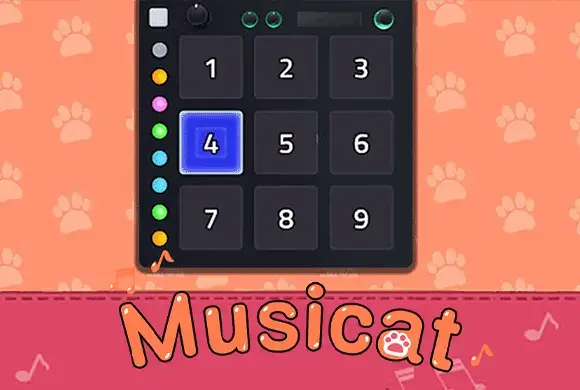
Getting started with Musicat is simple and fun! The main menu offers two primary ways to play: Free Play (Instrument Mode): Select your preferred instrument from the tab at the bottom, such as the piano or drums. You can then tap on the numbered keys or pads on the screen to play your own melodies. The "Page" tab even provides basic guides for famous tunes like "Twinkle, Twinkle, Little Star" or "Happy Birthday" if you want to practice! Challenge Mode: If you're looking for a test of skill, tap the "Play" button on a specific song level. When the stage loads, you will see a grid of numbered squares. Indicators will drop down, and your goal is to tap the corresponding number on the grid exactly as it aligns with the beat. Successful taps build up your "Combo" meter. The goal is to finish the song with a high combo and earn 3 stars for a "Perfect!" rating. Collect enough coins and gems to unlock higher-level songs and new "Items" like custom backgrounds (e.g., "Night Sky") or new cat avatars (e.g., "Adam"). Keep practicing, improve your timing, and you'll be a feline maestro in no time!
Game Controls
Tap: Click or tap on the numbered keys, drums, or grid squares to play notes or hit rhythm targets.
Frequently Asked Questions (FAQ)
Q: How do I play songs like "Twinkle Twinkle Little Star"?
A: Tap on the "Page" tab while in the instrument mode to find the numeric sequence for famous songs, then tap those numbers on your virtual instrument.
Q: How do I unlock new songs?
A: You can unlock new songs by earning gems through the challenge mode or by watching rewarded videos when prompted by the game.
Q: Why are some instruments locked?
A: Some premium or advanced instruments require unlocking through gameplay milestones or by using the currency you earn while playing.
Finger Music
 547.2K
Piano Tiles
311.8K
Fingertip Piano
586.7K
Horror Spranky Beats
797.7K
Spring back Ball
488.4K
Collision Race
395.7K
Dig Through The Earth
566.9K
Crylic Nail Tips
835.9K
Eat Donuts
708.2K
Element Synthesis
820.9K