





Recommended



Magic Princess
- Rating
- 5
- Orientation
- Portrait
- Release Date
- 2023-09-12
What is Magic Princess
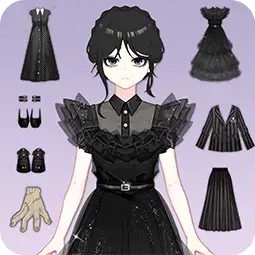
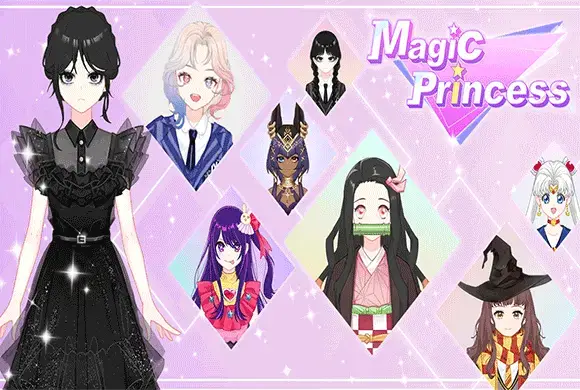
"Magic Princess" is an enchanting 2D dress-up and avatar creation game designed for fans of anime and fashion. In this game, you have the ultimate creative freedom to design your dream anime girl. The "Doll Maker" feature allows you to customize everything from her skin tone, eye color, and hairstyle to her outfit, shoes, and magical accessories like fairy wings. Once you have crafted the perfect look, you can save your creation, take photos, or put your styling skills to the test in the "PK" mode. In PK battles, you will compete against other characters in specific themes, such as "School," "Party," or "Beach." Players are judged on their outfits, and the one with the most 'likes' wins coins and hearts to unlock even more glamorous clothing sets. It is a relaxing, creative, and highly addictive fashion experience!
Key Game Features
Endless Customization: Choose from hundreds of hairstyles, dresses, shoes, and magical items. Anime Art Style: Beautifully detailed 2D graphics with a distinct Japanese anime aesthetic. PK Fashion Battles: Compete against rivals in themed dress-up challenges to win rewards. Unlockable Outfits: Earn hearts and coins to buy complete themed sets in the store. Doll Maker: Save your favorite designs and use them as custom avatars.
How to Play & Master
Step 1: Enter Doll Maker. Tap "Doll Maker" to start creating your character. Use the tabs at the bottom to select hair, face, clothes, and accessories. Tap an item to try it on. Step 2: Save Your Look. Once you are satisfied with your princess, you can save her look. Step 3: Enter PK Mode. Return to the main screen and tap "PK." Choose a battle theme, like "School." Step 4: Dress for the Theme. You will be taken back to the closet. Dress your character in an outfit that best fits the chosen theme to score higher. Step 5: Win the Battle. Tap "Submit" to enter the competition. Your character will be compared to an opponent (like Angela). If your outfit gets more likes, you win the match and receive coins and hearts. Step 6: Shop for More. Use your earned currency to unlock special, high-quality outfits in the main menu.
Game Controls
Tap: Simply tap the clothing icons at the bottom of the screen to equip them to your character. Tap menus and buttons to navigate the game.
Frequently Asked Questions (FAQ)
Q: How do I win the PK battles?
A: Pay close attention to the theme (e.g., School, Party). Equipping items that logically fit that theme will earn you more 'likes' during the judging phase.
Q: What are the hearts used for?
A: Hearts are collected by winning PK battles and are used on the main screen to unlock complete, premium outfit sets (like the Witch or the White Dress).
Q: Why are some clothing items locked with an "AD" icon?
A: You can unlock these specific items for free by tapping on them and watching a short advertisement video.
Pixel Runner
 825.0K
Merge Arena
575.5K
Cat Room Blast
805.6K
Car Crash Star
494.6K
Piggy Eliminate
526.9K
Archery Master
614.5K
Stranger Hand
582.1K
Spring back Ball
488.4K
Collision Race
395.7K
Dig Through The Earth
566.9K