





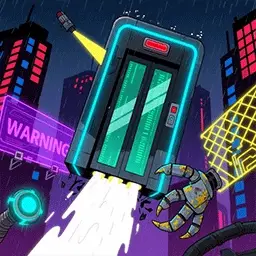
Recommended














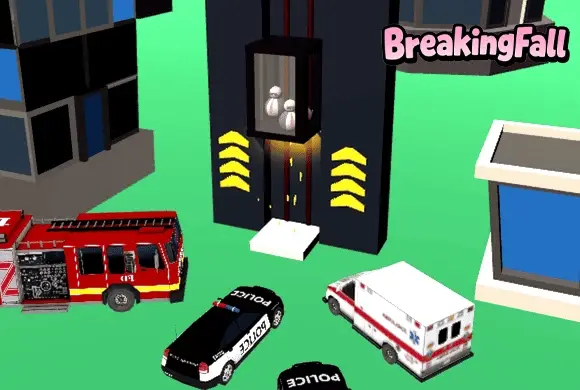
Breaking Fall
- Rating
- 5
- Orientation
- Portrait
- Release Date
- 2025-08-15
What is Breaking Fall
Welcome to Breaking Fall, a fast-paced, adrenaline-pumping hyper-casual arcade game where gravity is both your best friend and your worst enemy! You are in control of a descending elevator making its way down the side of a massive skyscraper. Your only tool for survival is the brake. By pressing and holding the screen, you instantly apply the brakes, reducing the elevator's free-fall to a super slow, crawling slide. You must perfectly time your fast drops and slow slides to dodge various moving obstacles, beams, and traps that cross the elevator shaft. If you hit an obstacle, it is an instant crash! With its intuitive one-finger controls, vibrant 3D graphics, and increasingly tricky obstacle patterns, Breaking Fall provides an addictive test of reflexes and timing. Can you guide the elevator safely to the ground floor?
Key Game Features
Thrilling Descent: Experience the fast-paced, gravity-driven excitement of guiding an elevator down a skyscraper. Instant Brake Controls: Press and hold the screen to instantly slow your fall to a crawl; release to drop at full speed. Dynamic Obstacles: Dodge moving platforms, spinning beams, and tricky traps that test your split-second timing. Satisfying Progression: Safely reach the ground floor to clear the level and unlock taller, harder challenges.
How to Play & Master
Surviving the descent in Breaking Fall is all about perfect timing and quick reflexes. Here is your operational guide: Step 1: Start the Drop. When the level begins, the elevator will automatically start falling down the track at high speed. Step 2: Watch the Track. Keep your eyes peeled on the path below the elevator. You will see various horizontal obstacles sliding back and forth across the drop zone. Step 3: Brake to Slow Down. When the elevator is getting dangerously close to an obstacle, tap and hold your finger on the screen. The elevator will instantly brake and slide downwards at a super slow speed. Step 4: Release and Drop. Use this slow-motion slide to let the obstacle pass. As soon as the path is clear, release your finger to let the elevator resume its full-speed drop. Step 5: Reach the Ground. Successfully navigate past all the obstacles on the track until the elevator safely lands on the bottom platform. If you mistime your moves and crash into a beam, you must restart the level. Get a feel for the rhythm and aim for a flawless descent!
Game Controls
Tap and Hold: Touch and hold the screen to apply the brakes, reducing your fall to a slow crawl. Release: Take your finger off the screen to drop at full speed.
Frequently Asked Questions (FAQ)
Q: Is there a limit to how long I can hold the brake?
A: There is no time limit, but remember that holding the screen does not stop the elevator completely. It will continue to slide down at a super slow speed. You can use this slow motion to observe the movement patterns of the obstacles below.
Q: Why did I crash even though I pressed the screen?
A: The braking action is instantaneous and has no physics momentum! If you crashed, it simply means you didn't time it right—you either pressed the screen a little too late, or released it at the wrong moment.
Q: Can the elevator move upwards?
A: No, gravity only pulls you down. Your only interaction is deciding exactly when to drop fast and when to slide slowly.

Flower Girl Grow up
 613.1K
Warriors Survival
811.3K
Run Girl
861.7K
Happy Bucket Challenge
786.8K
Slice Master
471.7K
Cubic Blast 3D
623.3K
Gate Rush Game
327.6K
Mackup Runner Game
479.6K
Branches Game
510.3K
Challenge The Zombies
328.1K