






Recommended



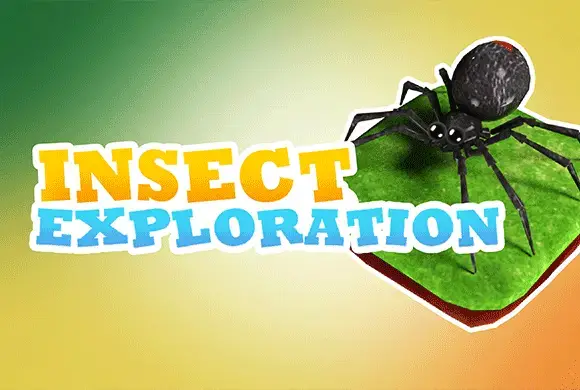
Insect Exploration
- Rating
- 5
- Orientation
- Portrait
- Release Date
- 2022-11-09
What is Insect Exploration
Welcome to Insect Exploration, a relaxing yet brain-teasing 3D puzzle game where you guide various tiny creatures through clever floating mazes! In this charming game, you interact with realistic but cute insects like snails and spiders. Your goal is simple: swipe on the screen to move the insect across a path of grassy and wooden tiles until it safely reaches the designated star tile. However, every level comes with a strictly limited number of moves, requiring you to think ahead and plan the perfect route. The beautiful 3D graphics and soothing background create a calming atmosphere, making it a great way to unwind while exercising your spatial logic. If you make a wrong turn, don't worry—you can use the cancel button to undo your steps. Dive into this miniature world and start your puzzle-solving adventure today!
Key Game Features
Brain-Teasing Puzzles: Solve cleverly designed levels by planning the exact route to reach the target tile. Limited Moves Challenge: Every step counts! Complete the puzzle within the allowed number of moves to win. Cute Animal Guides: Play with detailed 3D models of insects, such as slow snails and crawling spiders. Undo System: Made a mistake? Use the helpful undo button to revert your last moves without restarting.
How to Play & Master
Playing Insect Exploration is very easy to learn but requires sharp logic to master. When you start a level, you will see your insect (like a snail or a spider) placed on a grid made of square grassy tiles. Your objective is to reach the special wooden tile marked with a golden star. To move the insect, simply swipe your finger on the screen in the direction you want it to go—up, down, left, or right. The insect will hop to the adjacent tile. However, you must pay close attention to the top of the screen where it says "Remain Moves." This number indicates exactly how many steps you are allowed to take. You must reach the star tile before this counter hits zero. As you progress past the initial easy levels, the tile layouts become more complex. You might need to navigate around empty spaces or figure out a winding path that perfectly uses your allotted moves. Before you swipe, take a moment to look at the whole puzzle and visualize the path in your mind. If you realize you've taken a wrong step and might run out of moves, tap the green "Cancel" button in the top right corner. This lets you take back a few steps (you usually have a limited number of cancels, like 3 per level) so you can try a different route. Reach the star, complete the level, and test your brain in the next challenge!
Game Controls
Swipe: Swipe your finger up, down, left, or right anywhere on the screen to move the insect to the adjacent tile in that direction. Tap on-screen UI buttons like the green "Cancel" arrow to undo moves.
Frequently Asked Questions (FAQ)
Q: What happens if my "Remain Moves" reach zero before I hit the target?
A: If you run out of moves before reaching the star tile, you fail the level and will need to restart it to try a more efficient path.
Q: How do I use the Cancel button?
A: The Cancel button is located in the top right corner. Tapping it reverses your last move. Notice the number inside the circular arrow; it shows how many times you can use this feature in the current level.
Q: Will there be different insects to play with?
A: Yes! As you progress through different levels, the game introduces various insects, starting from a snail to a spider, adding visual variety to the puzzles.

Ball Hits Cup
 261.1K
Tetris:Drop Version
763.4K
Flying Knife Juice
338.1K
Draw Lines
857.3K
Brain Puzzle
626.1K
Hexa Sort
459.0K
Magic Match
787.6K
Super Brain
854.4K
Master Of Hunting
460.6K
Synthetic Milk Tea
743.4K