






Recommended












In Treatment
- Rating
- 5
- Orientation
- Portrait
- Release Date
- 2025-01-22
What is In Treatment
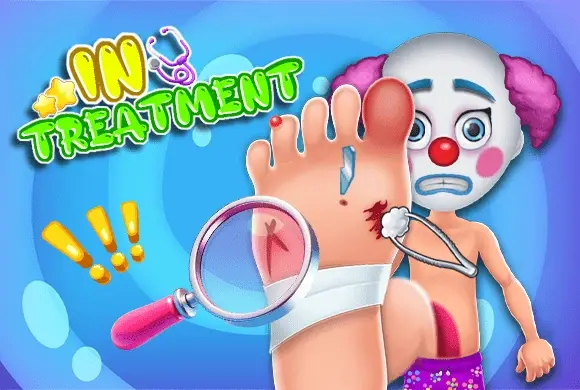
Welcome to In Treatment, an engaging and fun hospital simulation game where you get to play the role of a dedicated doctor! In this bustling emergency room, you will encounter a wide variety of patients—from everyday people with sports injuries to surprise guests like a clown or even Santa Claus! Your mission is to carefully diagnose each patient and provide the necessary medical care to get them back on their feet. The game features interactive mini-games where you must use specific medical tools, such as thermometers to check fevers, ice packs to reduce swelling, and special ointments to heal cuts and bruises. With its colorful 2D cartoon graphics and intuitive drag-and-drop mechanics, In Treatment is not only relaxing but also subtly educational. Step into the clinic, manage your patients, and become the best doctor in town!
Key Game Features
Treat Diverse Patients: Help a colorful cast of characters, including kids, clowns, and even Santa Claus, each with unique injuries. Interactive Medical Tools: Use a variety of realistic medical instruments like thermometers, ice packs, and ointments to heal your patients. Step-by-Step Care: Follow the medical procedures carefully to clean wounds, apply ointment, and reduce fevers effectively. Fun Hospital Environment: Manage a lively and bustling emergency room filled with detailed 2D cartoon graphics and animations.
How to Play & Master
Playing In Treatment is simple and highly intuitive, making it perfect for players of all ages. When you start the game, you will be taken to the bustling Emergency Room of your hospital. Here, you will see various patients waiting for your help, standing or sitting on beds along the path. Tap on a patient who needs attention to bring them into the treatment view. You will see a close-up of the patient and their specific injuries, such as cuts, bruises, or a high fever. At the top of the screen, you will find a tray of medical tools required for this specific patient. Your job is to use these tools in the correct order. For example, if a patient has a fever, drag the thermometer from the tray to their mouth to check their temperature. If they have swollen bruises, select the ice pack and apply it to the affected area until the swelling goes down. For cuts and scratches, you might need to apply a soothing green ointment. As you successfully complete each treatment step, a green checkmark will appear on the tool icon, indicating that you can move on to the next step. Once all tools have been used and all injuries are treated, the patient will be fully healed and happy! You will then return to the main hospital ward to select your next patient. Pay attention to the visual cues and follow the on-screen prompts to ensure everyone gets the best medical care!
Game Controls
Mouse/Touch: Simply tap or click to select a patient from the waiting room. Drag and drop the medical tools from the top tray onto the specific injuries on the patient's body to treat them.
Frequently Asked Questions (FAQ)
Q: How do I know which medical tool to use?
A: The game provides a specific tray of tools at the top for each patient. Tap on a tool, and visual cues will often show you where to apply it.
Q: What should I do if a patient has a fever?
A: Drag the thermometer from your tool tray to the patient's mouth to measure their temperature. Wait a moment, and that step of the treatment will be completed.
Q: Can I choose which patient to treat first?
A: Yes! In the main emergency room view, you can tap on any of the different waiting patients along the path to start their specific treatment mini-game.
Fruit Doctor
 638.1K
Idle Prison Life
873.3K
Like-A-Pizza
681.2K
ASMR Makeover
537.7K
Supermarket Go Shopping
404.3K
Family Villa Decoration
891.8K
Cooking Delicious Crab
471.5K
Fashion Mermaid Palace
488.4K
City Police Car Chase Game
889.5K
Angela Fashion Challenge
689.7K