






Recommended


Football Superstars
- Rating
- 5
- Orientation
- Portrait
- Release Date
- 2023-06-13
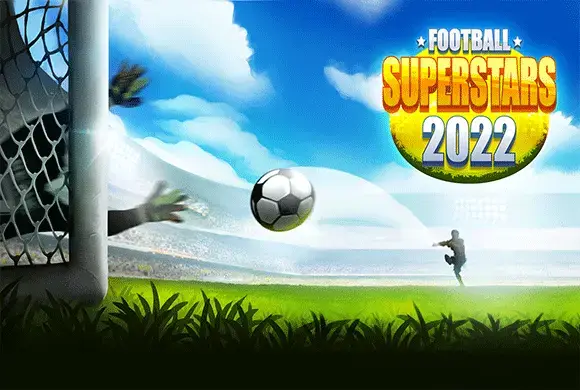
What is Football Superstars 2022
Step back into the golden age of arcade sports with Football Superstars 2022. This classic 2D soccer game brings retro charm to modern devices, offering a straightforward yet competitive football experience. Choose from famous national teams like Spain and Germany to compete in friendly matches against the computer. The top-down perspective gives you a tactical view of the entire pitch, allowing for strategic passing and precise shooting. Unlike touch-based mobile games, this title emphasizes keyboard controls for a nostalgic PC gaming feel. Whether you are passing with 'S' or shooting with 'D', every match tests your timing and strategy. Score more goals than your opponent before the timer ends to claim victory. With simple pixel art graphics and smooth gameplay, it's perfect for fans of old-school sports games looking for a quick match without complex mechanics
Key Game Features
National Team Selection: Choose from iconic countries like Spain and Germany. Represent your favorite nation in friendly matches against the AI computer opponent. Classic Keyboard Controls: Master PC-style controls using Arrow keys and ASD. Precise movement and shooting mechanics offer a nostalgic gaming feel. 2D Retro Graphics: Enjoy nostalgic pixel art visuals reminiscent of old consoles. Simple yet clear graphics ensure smooth performance on any browser device.
How to Play & Master
Select Team: Choose your national team (e.g., Spain) against the Computer (e.g., Germany). Read Instructions: Review the control scheme for movement and actions. Move Player: Use Arrow Keys to run around the pitch. Pass & Shoot: Press 'S' to pass or switch players. Hold 'D' and use Arrows to shoot. Defend: Use 'D' to tackle opponents when they have the ball. Win Match: Score more goals than the computer before the match timer ends.
Game Controls
Move : Arrow Keys Long Pass : A Key Pass / Switch : S Key Shoot / Tackle : D Key (Hold to Aim)
Frequently Asked Questions (FAQ)
Q: How do I aim my shot?
A: Hold down the 'D' key to charge your shot, and use the Arrow Keys to change the direction before releasing.
Q: Can I play against a friend?
A: The video shows a "Player vs Computer" friendly match mode. Check the main menu for local multiplayer options
Q: Why did I lose the ball?
A: If an opponent tackles you or you pass incorrectly, possession changes. Use the 'S' key to switch to the player closest to the ball on defense
Rope King
 167.7K
Crowd City
723.2K
Roll It Over
704.3K
Triple Match
287.1K
Stacktris
575.5K
Dunk Shoot
629.8K
Tabletennis Duel
773.4K
Little Big Fighters
686.5K
Swing Man Hook
597.6K
Master Of Hunting
460.6K