





logologo
Search anything...
search_icon
lang_switch_icon
notify_icon
search_iconAll
nav_link_icon
search_iconContinue Playing
nav_link_icon
search_iconHot Games
nav_link_icon
search_iconNew Games
nav_link_icon
search_iconSimulation
nav_link_icon
search_iconAdventure
nav_link_icon
search_iconAction
nav_link_icon
search_iconStrategy
nav_link_icon
search_iconCasual
nav_link_icon
search_iconRacing
nav_link_icon
search_iconPuzzle
nav_link_icon
search_iconSports
nav_link_icon
search_icon
search_icon
search_icon
search_icon
search_icon
search_icon
search_icon
search_icon
search_icon
search_icon
search_icon
search_icon
Your browser does not support the video tag or this video format.
Play Now
Element Synthesis

Element Synthesis

Element Synthesis

Element Synthesis

5simulationSimulation
Play Now
Like
Dislike
Add to favorites
Feedback
Element Synthesis
Advertisement
Advertisement
Dr.Funny

Dr.Funny

Dr.Funny352.6K
In Treatment

In Treatment

In Treatment530.1K
Slime Glory

Slime Glory

Slime Glory438.1K
Best Teacher

Best Teacher

Best Teacher562.8K
Happy Soldier Go

Happy Soldier Go

Happy Soldier Go530.1K
Non Stop Ball

Non Stop Ball

Non Stop Ball360.4K
Stunt Skateboard

Stunt Skateboard

Stunt Skateboard759.6K
Object Finder

Object Finder

Object Finder737.7K
Pac-Man Legend

Pac-Man Legend

Pac-Man Legend378.2K
Lkebana Challenge

Lkebana Challenge

Lkebana Challenge227.2K
Advertisement
Dr.Funny

Dr.Funny

Dr.Funny352.6K
In Treatment

In Treatment

In Treatment530.1K
Slime Glory

Slime Glory

Slime Glory438.1K
Best Teacher

Best Teacher

Best Teacher562.8K
Happy Soldier Go

Happy Soldier Go

Happy Soldier Go530.1K
Non Stop Ball

Non Stop Ball

Non Stop Ball360.4K
Stunt Skateboard

Stunt Skateboard

Stunt Skateboard759.6K
Object Finder

Object Finder

Object Finder737.7K
Pac-Man Legend

Pac-Man Legend

Pac-Man Legend378.2K
Lkebana Challenge

Lkebana Challenge

Lkebana Challenge227.2K
Advertisement
mascot

Company Info

AboutBusinessPrivacyTerms

Join Us

logo

© 2026 minigame.com

AboutBusinessPrivacy
logo

© 2026 minigame.com

Gamesbutton_jump_icon
Simulationbutton_jump_icon
Element Synthesis

Element Synthesis

Rating
5
Orientation
Portrait
Release Date
2025-01-21
SimulationCasual

What is Element Synthetic

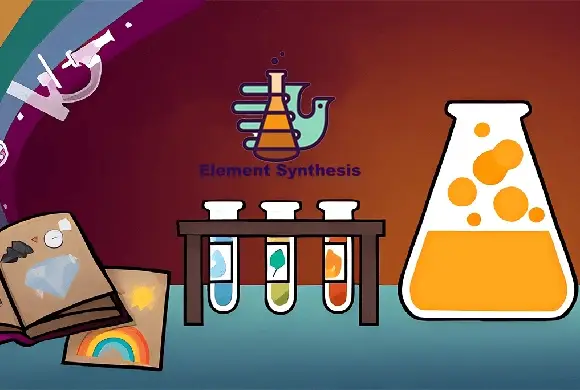
Element Synthetic is a captivating and thought-provoking puzzle game that challenges players to build an entire world from scratch. Starting with just a few basic elements, you must use logic, intuition, and a bit of scientific imagination to combine them and unlock hundreds of unique items. The game features a clean, minimalist interface where you can drag elements like Fire, Air, and Energy onto the workspace to see what happens. Discovering a "Volcano" or "Geyser" is just the beginning; as you progress, the combinations become more complex and surprising. With an integrated "Encyclopedia" to track your progress and a "Tips" system for when you're stuck, Element Synthetic offers an educational and deeply satisfying experience. It’s a perfect game for curious minds who enjoy discovery and the thrill of seeing how different components of our universe interact.

Key Game Features

Endless Discovery: Combine hundreds of unique elements and items to fill your comprehensive Encyclopedia. Logical Gameplay: Every combination follows a certain logic, encouraging players to think about how nature works. Helpful Hint System: Stuck on a combination? Use the "Tips" button to get a nudge in the right direction. Stress-Free Experience: No timers or high-pressure scores, allowing you to discover the world at your own pace.

How to Play & Master

To begin your journey in Element Synthetic, look at the sidebar on the right side of the screen. This is your library of discovered elements. Click and drag an element, such as "Fire," into the dark central workspace. Then, drag another element, like "Energy" or "Earth," and drop it directly on top of the first one. If a reaction is possible, the two items will merge into a brand-new element, which will then be added to your library. If nothing happens, try a different combination! Use the "Clear" button at the bottom to tidy up your workspace if it gets too cluttered. You can check the "Encyclopedia" at any time to see which categories you have completed and which items you are still missing. The goal is to keep experimenting until you have discovered every possible item in the game!

Game Controls

Click and drag elements from the sidebar to the workspace. Drop one element onto another to combine them. Click menu buttons for Tips or the Encyclopedia.

Frequently Asked Questions (FAQ)

Q: I have too many items on my screen, what should I do? A: Simply click the "Clear" (broom) icon at the bottom to remove all items from the workspace and start fresh. Q: Where can I see all the items I've discovered? A: Tap the "Encyclopedia" icon at the bottom of the screen to view your full collection categorized by type. Q: How do I get more hints? A: You can earn hints by discovering a certain number of new items or by clicking the "Tips" icon to see available options.

Gamesbutton_jump_icon
Simulationbutton_jump_icon
Element Synthesis

Element Synthesis

Rating
5
Orientation
Portrait
Release Date
2025-01-21
SimulationCasual

What is Element Synthetic

Element Synthetic is a captivating and thought-provoking puzzle game that challenges players to build an entire world from scratch. Starting with just a few basic elements, you must use logic, intuition, and a bit of scientific imagination to combine them and unlock hundreds of unique items. The game features a clean, minimalist interface where you can drag elements like Fire, Air, and Energy onto the workspace to see what happens. Discovering a "Volcano" or "Geyser" is just the beginning; as you progress, the combinations become more complex and surprising. With an integrated "Encyclopedia" to track your progress and a "Tips" system for when you're stuck, Element Synthetic offers an educational and deeply satisfying experience. It’s a perfect game for curious minds who enjoy discovery and the thrill of seeing how different components of our universe interact.

Key Game Features

Endless Discovery: Combine hundreds of unique elements and items to fill your comprehensive Encyclopedia. Logical Gameplay: Every combination follows a certain logic, encouraging players to think about how nature works. Helpful Hint System: Stuck on a combination? Use the "Tips" button to get a nudge in the right direction. Stress-Free Experience: No timers or high-pressure scores, allowing you to discover the world at your own pace.

How to Play & Master

To begin your journey in Element Synthetic, look at the sidebar on the right side of the screen. This is your library of discovered elements. Click and drag an element, such as "Fire," into the dark central workspace. Then, drag another element, like "Energy" or "Earth," and drop it directly on top of the first one. If a reaction is possible, the two items will merge into a brand-new element, which will then be added to your library. If nothing happens, try a different combination! Use the "Clear" button at the bottom to tidy up your workspace if it gets too cluttered. You can check the "Encyclopedia" at any time to see which categories you have completed and which items you are still missing. The goal is to keep experimenting until you have discovered every possible item in the game!

Game Controls

Click and drag elements from the sidebar to the workspace. Drop one element onto another to combine them. Click menu buttons for Tips or the Encyclopedia.

Frequently Asked Questions (FAQ)

Q: I have too many items on my screen, what should I do? A: Simply click the "Clear" (broom) icon at the bottom to remove all items from the workspace and start fresh. Q: Where can I see all the items I've discovered? A: Tap the "Encyclopedia" icon at the bottom of the screen to view your full collection categorized by type. Q: How do I get more hints? A: You can earn hints by discovering a certain number of new items or by clicking the "Tips" icon to see available options.