





Recommended



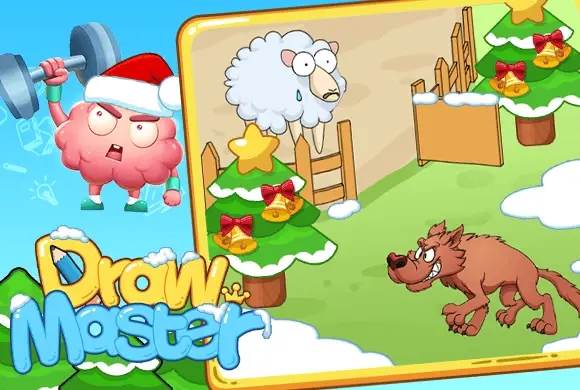
Draw Master
- Rating
- 5
- Orientation
- Portrait
- Release Date
- 2024-10-25
What is Draw Master
Draw Master is a captivating 2D puzzle game where your artistic skills meet brain-teasing riddles. Designed for players who love to think outside the box, every level presents a unique, comical scenario where a crucial element is missing. Whether it's a robot's missing limb, a missing umbrella in the rain, or a bridge to cross a pit, your task is to identify the void and sketch a solution. The game features a smart recognition system that analyzes your drawings—not for artistic perfection, but for the underlying logic. With its vibrant cartoon style and humorous animations, Draw Master provides a constant stream of "Aha!" moments. Beyond the main levels, players can explore diverse modes like "Find toilet" or "Nice cut!", ensuring the gameplay remains fresh and engaging. It’s the ultimate digital gym for your brain, blending humor and logic in every stroke.
Key Game Features
Creative Logic Puzzles: Solve hundreds of unique scenarios that require both imagination and logical thinking. Intuitive Sketching System: A smart engine that recognizes your intent, making it easy for anyone to draw and win. Humorous Animations: Enjoy funny characters and slapstick outcomes that reward your successful (or failed) solutions. Multiple Challenge Modes: Diversify your fun with special modes like "Nice cut!" and "Find toilet."
How to Play & Master
Each level in Draw Master starts with a short visual prompt or a text hint like "Give him a hand." Observe the scene carefully to see what’s missing or what would logically solve the character's problem. To play, simply touch the screen and drag your finger or mouse to draw the missing object. For instance, if a robot is missing an arm, draw a simple line or limb connecting its shoulder to the hand. You don't need to be a professional artist; the game looks for the general shape and position of your sketch. Once you release your finger, the object will manifest into the scene. If correct, the character will react with joy and you'll advance to the next stage. If you're stuck, use the "Tips" lightbulb icon at the bottom to see a faint outline of the required drawing. You can also collect "Keys" to unlock hints or skip particularly difficult brain-teasers!
Game Controls
Use your Mouse or Touchscreen to draw lines and shapes directly on the canvas. Tap UI buttons for hints, skips, or redoing a level.
Frequently Asked Questions (FAQ)
Q: My drawing looks right but isn't working?
A: Try drawing the shape in one continuous stroke and ensure it touches the key interaction points on the screen.
Q: How do I get more keys for hints?
A: You can earn keys by completing levels or by tapping the "+" icon to watch rewarded clips.
Q: Can I redo a drawing if I mess up?
A: Yes, tap the "Refresh" arrow icon at the top to clear the screen and start your drawing again.
Mini defense
 672.0K
Miss Tofu
332.9K
Stack Ball
457.5K
Pets Blast
294.0K
Happy Woodworking
674.8K
Sudoku Fun
811.3K
Fight Plane
494.6K
Stack Ball 3D
139.6K
Link Line
723.2K
Happy Mix
208.6K