





Recommended





Crazy Math
- Rating
- 5
- Orientation
- Portrait
- Release Date
- 2024-11-19
What is Crazy Math
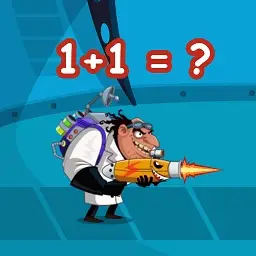
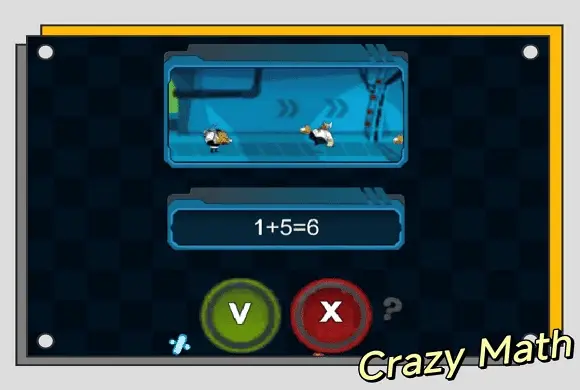
"Crazy Math" is an exciting hyper-casual puzzle game that brilliantly combines basic arithmetic with fast-paced shooting action. In this unique combat game, you face off against an opponent in a true-or-false showdown. A math equation will appear on the screen, such as "2+8=10" or "8+5=16", and you must quickly calculate the answer in your head. Tap the green 'V' button if the equation is mathematically correct, or the red 'X' button if it is wrong. If you make the right choice, your character instantly fires a shot, defeating the enemy and advancing your score. However, if you choose incorrectly or hesitate for too long, your opponent will shoot you, and the game is over! It is a perfect game to train your brain, improve quick calculation skills, and enjoy a thrilling casual gaming experience.
Key Game Features
Brain-Teasing Action: Combines simple math equations with quick-reaction shooting mechanics. True or False Gameplay: Quickly tap the 'V' or 'X' button to answer the math problems. Endless Challenge: Test your limits and try to achieve the highest score without making a mistake. Educational Fun: A great and entertaining way to practice quick addition and subtraction.
How to Play & Master
Playing "Math Duel" is simple to understand but requires quick thinking and fast fingers to master. Step 1: Observe the Equation. When the game starts, a math equation will appear in the center of the screen between you and your opponent (e.g., 1+3=4). Step 2: Calculate Quickly. Do the math in your head as fast as you can. Is the statement shown true or false? Step 3: Make Your Choice. Look at the bottom of the screen. Tap the green 'V' button if you believe the equation is correct. Tap the red 'X' button if you believe it is incorrect. Step 4: Shoot or Be Shot. If you tap the right button, your character will shoot the opponent, and you move on to the next, slightly faster equation. If you tap the wrong button, or if you take too long to answer, the opponent will shoot you, and your run ends. Step 5: Survive. Keep answering correctly to build up your high score. You can also change the map background on the main menu!
Game Controls
Tap 'V' (Green Button): Select this if the math equation shown is correct. Tap 'X' (Red Button): Select this if the math equation shown is incorrect.
Frequently Asked Questions (FAQ)
Q: What kind of math problems are in the game?
A: The game features basic arithmetic, mostly focusing on addition and subtraction, as well as some simple inequality comparisons (e.g., 4-14 < 0-9).
Q: Is there a visible time limit?
A: There isn't a ticking clock on the screen, but your opponent acts as the timer. If you don't answer quickly enough, they will shoot you.
Q: How do I change the game map?
A: On the main menu screen, before you tap "Play Game," use the left and right arrows next to the "MAP" display to choose a different background.
Tower Run Online
 393.7K
Save The Girl
801.8K
Bumper.io
521.2K
Super Cannon
409.1K
Square Bird
675.9K
Pencil Rush Online
668.3K
Hippo Supermarket
478.2K
Connect The Bubbles
893.2K
Football Champs
847.6K
Agent Squad
171.7K