





Recommended
Craftify Car
- Rating
- 5
- Orientation
- Portrait
- Release Date
- 2023-09-06
What is Craftify Car
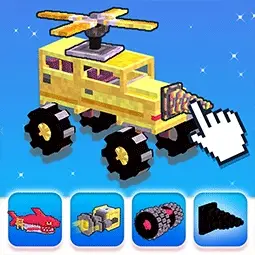
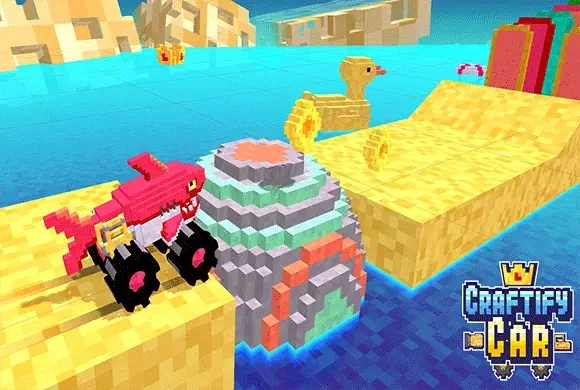
"Craftify Car" is an imaginative and addictive simulation game that combines the joy of building with the thrill of racing. Set in a vibrant, 3D voxel world reminiscent of "Minecraft," this game lets you become a master mechanic. Before each race, you enter the crafting grid, where you must strategically place chassis parts, wheels, and special accessories like propellers or drills. Once your masterpiece is built, you hit the track to race against an opponent. The tracks are filled with steep hills, gaps, and obstacles that test the physical balance and power of your creation. If your car is too front-heavy or lacks a boost, you might crash or get stuck! Win races to earn coins, unlock new blocks, increase your building capacity, and create the ultimate racing machine. It's a perfect blend of creativity and action for players of all ages.
Key Game Features
Custom Car Building: Drag and drop parts on a grid to design your own vehicle. Voxel Art Style: Enjoy charming 3D blocky graphics inspired by classic sandbox games. Physics-Based Racing: Watch how your design choices affect the car's balance and speed. Special Components: Equip propellers for flight or drills to smash through obstacles. 1v1 Racing Mode: Compete against other wacky creations in challenging obstacle courses. Unlock & Upgrade: Earn coins to expand your grid capacity and buy rare parts.
How to Play & Master
"Craftify Car" is divided into two phases: Crafting and Racing. Crafting Phase: You are given a blue grid and a limited "Capacity" (e.g., 2/7 meaning you can place 2 more blocks). At the bottom, you have a selection of parts: wooden blocks, wheels, boosters, etc. Drag and drop these parts onto the grid. You must design a functional car—it needs a body and wheels touching the ground. You can use the "Rotate" button to change the orientation of parts. Think about physics! Don't make it too tall or it will flip. Racing Phase: Once you hit "Start," you are matched against an opponent. The race is mostly automatic, driven by physics. Your car will accelerate forward. If you get stuck on a hill, a "GET UNSTUCK?" button might appear, allowing you to apply a temporary boost or adjustment to continue. The first car to cross the finish line wins coins. Use these coins back in the menu to buy new parts and expand your crafting grid!
Game Controls
Drag & Drop: Move parts from the inventory onto the crafting grid. Tap: Press "Start," "Rotate" parts, or trigger boosts during the race.
Frequently Asked Questions (FAQ)
Q: Why doesn't my car move?
A: Ensure your wheels are correctly placed at the bottom of the chassis and are touching the ground line in the crafting grid.
Q: Why does my car keep flipping over backwards?
A: Your car's center of gravity is off. Try adding more blocks to the front or making the base wider to keep it stable on steep hills.
Q: How do I get past the big walls?
A: You need to unlock and equip special parts! A drill on the front can break through obstacles, or a propeller might help you fly over them.

Lipstick Run
 383.7K
Crazy Ball
667.7K
Queen Hula Hoop
994.6K
Heels Queen
630.9K
Parkour Race
387.6K
Crazy Road
638.3K
Run Crush 3D - hurdle racing
115.9K
YI Crazy ball
259.2K
Wildly Moto - Super Race
718.6K
Rolling Ball 3D
265.1K