






Recommended














Classic Sudoku
- Rating
- 5
- Orientation
- Portrait
- Release Date
- 2023-01-11
What is Classic Sudoku
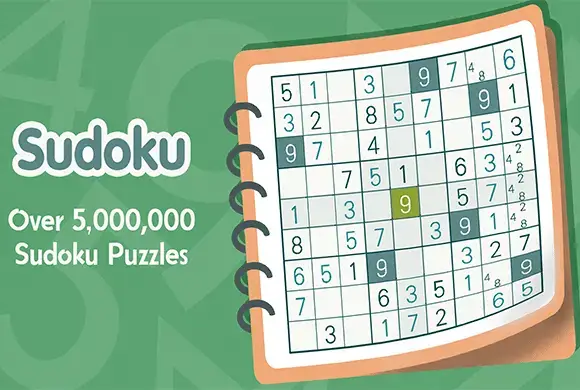
"Classic Sudoku" is the ultimate puzzle game for anyone looking to challenge their mind and relax at the same time. Featuring a clean, minimalist interface that mimics a real newspaper puzzle, this game offers a pure and distraction-free Sudoku experience. Whether you are a complete beginner learning the rules or a seasoned master looking for a tough challenge, the game caters to all with four distinct difficulty levels: Easy, Medium, Hard, and Master. It also features a "Daily Challenge" mode to keep your brain sharp every single day. What sets this app apart are its powerful built-in tools, such as the "AI Note" feature which automatically fills in possible numbers, and a comprehensive "How to Play" tutorial that teaches advanced solving techniques like "Hidden Single" and "Naked Single." Dive into the world of numbers and enhance your logical thinking!
Key Game Features
Four Difficulty Levels: Choose from Easy, Medium, Hard, and Master to suit your skill. Daily Challenges: New puzzles every day to collect trophies and keep your mind active. Smart Hints & Notes: Use "AI Note" for auto-filling and "Hint" when you are stuck. Comprehensive Tutorial: Learn the rules and advanced solving strategies in the app. Game Records: Track your progress, win rate, best time, and current win streak. Clean Interface: Enjoy a 2D minimalist design that is easy on the eyes.
How to Play & Master
The goal of Sudoku is to fill a 9x9 grid with numbers so that each row, column, and 3x3 block contains all of the digits between 1 and 9. The Grid: The board consists of 9 rows, 9 columns, and 9 smaller 3x3 blocks separated by thick lines. The Rules: You can only use the numbers 1 through 9. A number can only appear once in each row. A number can only appear once in each column. A number can only appear once in each 3x3 block. Playing: Tap a blank cell to select it, then tap a number from 1 to 9 at the bottom of the screen to fill it in. Tools: Notes (Pencil Icon): Turn on Notes mode to write down possible numbers in a cell. This is crucial for hard puzzles. The "AI Note" button can do this for you automatically. Erase: Removes the number from the selected cell. Hint: If you select a blank cell and tap Hint, the game will reveal the correct number. Mistakes: Be careful! You usually have a limit on mistakes (e.g., 3 errors shown as hearts). If you lose all hearts, the game is over.
Game Controls
Tap: Select a grid cell, choose a number to input, or toggle tools like Notes and Hints.
Frequently Asked Questions (FAQ)
Q: What is an "AI Note"?
A: It's an intelligent feature that automatically calculates and fills in all the possible correct numbers (pencil marks) for every empty grid, saving you time.
Q: Can I play without the internet?
A: Yes, "Classic Sudoku" is fully playable offline, making it a great travel companion.
Q: What happens if I make a mistake?
A: The game tracks errors (shown as hearts at the top). If you make too many incorrect guesses (usually 3), you will fail the puzzle and have to restart.
Happy Domino
 202.2K
Object Hunt
571.8K
Globe Match
220.6K
Spin Ice Cream
674.8K
Blackhole Hero
761.4K
Bubble Shooter Pop
795.9K
Crush Car
215.3K
Merge Ball
227.2K
Garden Tables 3
643.7K
Monster Clash
880.3K