




Recommended



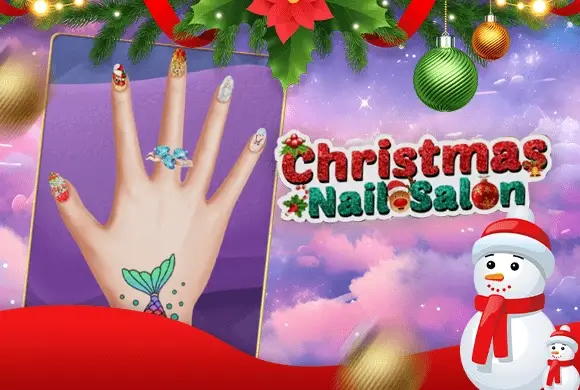
Christmas Nail Salon
- Rating
- 5
- Orientation
- Portrait
- Release Date
- 2024-11-18
What is Christmas Nail Salon
Christmas Nail Salon is a festive and highly creative simulation game that lets you become a master nail artist just in time for the holidays. Players are given a blank canvas—a set of hands with customizable skin tones and nail shapes—to create the ultimate Christmas-inspired look. The game features a massive library of decorative elements, including hundreds of polish colors, sparkling glitters, and intricate holiday patterns. You can add adorable stickers of Santa, reindeer, and snowflakes to give your design that extra festive touch. Beyond just nails, the game offers a variety of accessories like rings, bracelets, and even temporary tattoos to complete the holiday ensemble. With its intuitive interface and vibrant 2D cartoon art style, Christmas Nail Salon provides a relaxing and satisfying DIY experience for players of all ages, allowing them to save their creations and share holiday cheer with friends.
Key Game Features
Endless DIY Options: Combine colors, glitters, and patterns for millions of unique designs. Inclusive Modeling: Choose from three distinct skin tones and various nail shapes for a personalized experience. Stunning Accessories: Complete the look with sparkling rings, bracelets, and festive hand tattoos. Save & Share Designs: Capture pictures of your holiday masterpieces to show off to friends.
How to Play & Master
Start by selecting one of the three available skin tones for your model. Next, pick a nail shape that you like, such as round or pointed. On the main salon screen, tap an individual nail to start decorating it. Use the polish bottles to paint the base, then browse through various tabs to add glitters, patterns, or stickers. You can use the on-screen buttons to resize or rotate your stickers for the perfect placement. Once you are happy with one nail, you can either move to the next one or use the "Apply All" feature for a consistent look. Finally, add jewelry like rings and bracelets to accessorize. When finished, take a picture of your finished holiday design to save it to your gallery!
Game Controls
Tap: Select tools and items. Drag: Position stickers on the nails. Buttons: Rotate or resize decorative elements.
Frequently Asked Questions (FAQ)
Q: How do I apply the same design to all nails?
A: After finishing one nail, look for the "Apply All" button to copy the current design to the rest of the fingers.
Q: Is there a way to start over?
A: Yes, you can use the eraser tool to remove specific layers or the reset button to clear the entire hand.
Q: Can I change the nail shape later?
A: Usually, you need to go back to the selection screen to change the shape, which may reset your current design.
Makeup Beauty
 523.9K
ASMR Salon
879.4K
Cool Nail
514.7K
Fashion Girl
847.0K
Royal Dream Wedding
244.1K
Makeup Master: Beauty Salon
430.0K
Makeup Stylist
344.8K
Fashion Studio
570.4K
Squid Game
686.5K
Bank Robbery 3
524.0K