





Recommended

Cavalry Sortie
- Rating
- 5
- Orientation
- Portrait
- Release Date
- 2024-11-04
What is Cavalry Sortie
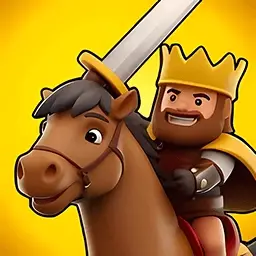
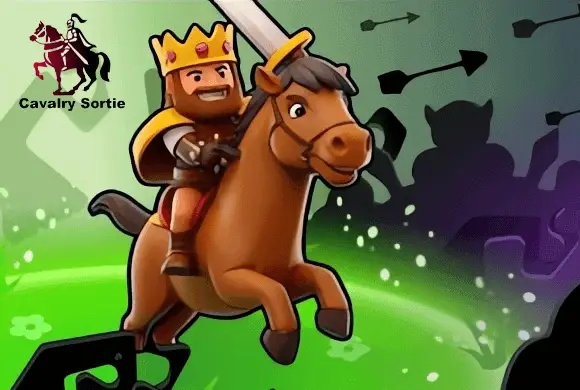
"Cavalry Sortie" is a thrilling 3D strategy and territory occupation game that puts you in the boots of a medieval commander. Your mission is to expand your empire by conquering neutral and enemy castles scattered across the map. Send your loyal troops—ranging from pikemen and archers to swift cavalry—to attack opponent bases and diminish their defenses. The game features real-time io-style battles where multiple colored factions vie for total control. Before each battle, you can upgrade your city level and initial troop count using the coins you've earned, giving you a crucial starting advantage. With its cute Q-style graphics, intuitive drag-and-drop controls, and competitive leaderboards, "Cavalry Sortie" offers a deeply engaging yet accessible tactical experience. Plan your attacks, manage your troop regeneration, and become the ultimate ruler of the battlefield!
Key Game Features
Territory Occupation: Send your troops to attack and capture enemy or neutral castles. Strategic Battles: Manage your troop numbers carefully and choose the right attack targets. Army Upgrades: Spend coins to upgrade your city level and starting troops before each match. io-Style Arenas: Compete against multiple opponent factions simultaneously on the same map. Cute 3D Graphics: Enjoy charming Q-version character designs and vibrant battlefields. Global Leaderboards: Win battles to earn crowns, climb the ranks, and prove your skills.
How to Play & Master
Playing "Cavalry Sortie" requires a mix of quick thinking and strategic planning. The ultimate goal of each level is to occupy all buildings on the map and eliminate all opposing factions. The Battlefield: The map consists of several bases (castles/tents). Your bases are marked with your specific color (e.g., Blue), while enemies have their own colors. Gray bases are neutral. The number hovering above each base indicates how many troops are currently garrisoned inside. Attacking and Capturing: To launch an attack, simply tap and hold on your base, then drag a dotted line to an enemy or neutral base. A portion of your troops will leave your base and march towards the target. When they arrive, they will crash into the base, reducing the target's garrison number. If the target's number drops to zero, you successfully capture the base, and it changes to your color! Troop Generation: Your occupied bases will automatically generate new troops over time. The more bases you control, the faster your total army grows. Strategy: Do not just attack blindly. It is usually best to target weakly defended neutral bases first to build up your resource production. Keep an eye on enemy movements; if they attack your base and its number gets too low, reinforce it by sending troops from another one of your bases. You can also swipe across multiple friendly bases to combine your forces and launch a massive, coordinated strike against a heavily fortified enemy position.
Game Controls
Drag & Drop: Touch your base and drag your finger to a target base to dispatch troops. Multi-Select: Swipe your finger continuously across multiple friendly bases to send troops from all of them to a single target simultaneously. Tap: Interact with UI elements, such as upgrading before a match.
Frequently Asked Questions (FAQ)
Q: Why did I suddenly lose my base?
A: An enemy sent enough troops to reduce your base's defense number to zero before you could regenerate. Always monitor incoming dotted lines and reinforce your bases if they are under heavy attack.
Q: What do the upgrades in the main menu do?
A: Upgrading "City Level" increases the speed at which your bases generate troops during the battle. Upgrading "Initial num" gives you a larger starting army right when the level begins.
Q: Can I recall my troops once I send them?
A: No, once troops are dispatched and marching along the path, they cannot be canceled or redirected.
Merge Defense2
 436.8K
Mystery Of Madhouse
841.0K
Plants Vs Zombies
873.4K
Office Grudge
693.2K
Mini Defense
644.6K
Fight! Meow Army!
873.3K
I Will Find You
757.1K
Doomsday Ark
779.9K
Advance Brick Man
256.8K
Invincible Warrior
884.5K