





Recommended










Bus Jam
- Rating
- 5
- Orientation
- Portrait
- Release Date
- 2024-01-31
What is Bus Jam
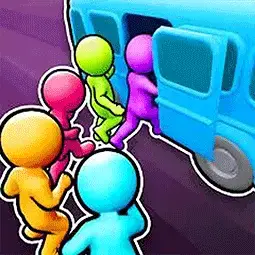
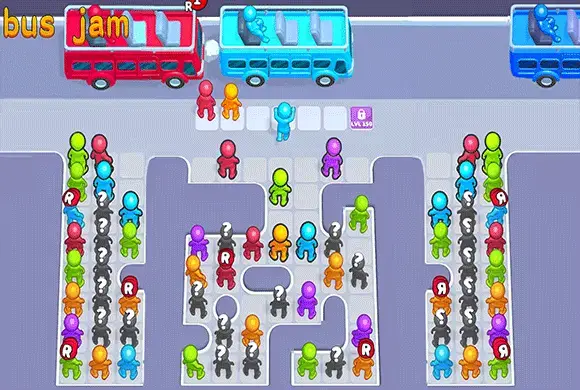
"Bus Jam 3D" is a vibrant and brain-teasing puzzle game that challenges your logic and organizational skills. The bus station is in total chaos! Passengers of different colors are waiting in a jumbled crowd, and it is your job to get them onto the right buses. The catch? Passengers can only board a bus that matches their own color, and they are blocked by others in the queue. You must tap carefully to move characters out of the way or onto the bus in the correct order. If you fill up the waiting area without clearing the traffic, you lose! With hundreds of increasingly difficult levels, unlockable power-ups, and satisfying gameplay mechanics, "Bus Jam 3D" offers endless hours of fun for puzzle lovers who enjoy games like parking jams or water sorting.
Key Game Features
Color Sorting Gameplay: Match passengers to buses of the same color. Challenging Logic Puzzles: Plan your moves to unblock the queue. Hundreds of Levels: Enjoy endless stages with increasing difficulty. Brain Training: Sharpen your critical thinking and spatial awareness. Relaxing & Satisfying: Watch the chaos turn into order as buses drive away. Offline Play: Play anywhere, anytime without an internet connection.
How to Play & Master
The goal is to clear the grid of all passengers by sending them away on buses. The Grid: Passengers are arranged in a grid. Those at the front (not blocked by anyone in front of them) can move. The Buses: Buses arrive at the top of the screen. Each bus has a specific color and limited seats. Moving Passengers: Tap on a passenger to move them. If the passenger's color matches the current bus, they will board immediately. If the color does not match, they will move to the "Waiting Area" (the empty slots below the bus). Clearing Buses: Once a bus is full, it drives away, and the next bus arrives. Strategy: You have limited slots in the Waiting Area (usually 5). If the Waiting Area is full and you cannot load any passengers onto the current bus, the game is over. You must prioritize moving passengers that match the current bus or those blocking the matching passengers. Power-ups: Use tools like "Undo" to reverse a mistake, "Shuffle" to rearrange the crowd, or "VIP" to clear a specific passenger instantly.
Game Controls
Tap: Tap on a passenger to move them to the bus or the waiting zone.
Frequently Asked Questions (FAQ)
Q: What happens if the waiting area is full?
A: If the waiting zone is full and no passenger matches the bus, you lose the level. You can use a "Revive" or restart.
Q: Can I undo my move?
A: Yes, there is usually an "Undo" button to reverse your last action.
Q: How do I unlock more waiting slots?
A: Sometimes you can unlock a temporary extra slot by watching an ad or using a specific booster.
Abnormal Brain Hole
 891.8K
Remove Block
497.5K
Amazing Tile
227.2K
BlackJack
741.3K
Sky Rush
564.5K
Draw Bridge
428.2K
Save The Man
828.5K
2248 Puzzle
439.3K
Merge Dice
407.7K
Cat Defenders: Shelling Snake
899.6K