





Recommended

Bubble Tea
- Rating
- 5
- Orientation
- Portrait
- Release Date
- 2023-09-14
What is Bubble Tea
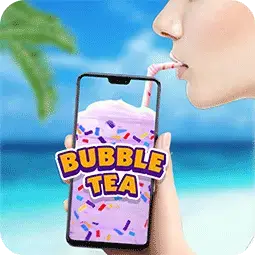
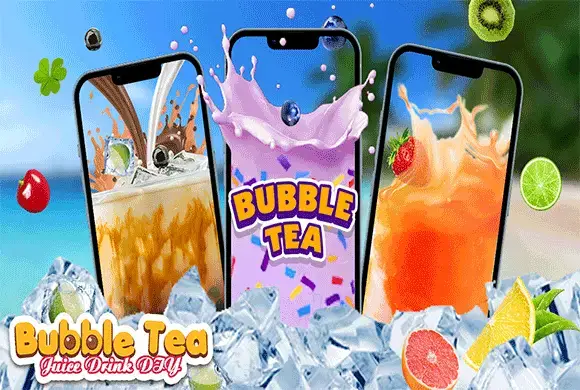
"Bubble Tea DIY" is a hyper-realistic drink simulation game that turns your mobile device into a virtual beverage station. Have you ever wanted to run your own boba shop or create a unique drink recipe? This game lets you mix colorful bubble teas, fresh fruit juices, and milkshakes with complete creative freedom. The game features high-quality 2D graphics with realistic liquid physics and satisfying sound effects that mimic the clinking of ice and the pouring of soda. Beyond making drinks, the app offers a unique "Drink" mode where you can tilt your phone to simulate drinking your creation, and a relaxing "Flower" mini-game where you can arrange beautiful bouquets. It’s the perfect pocket game for relaxation and creativity!
Key Game Features
Creative DIY Mode: Mix diverse flavors, colors, and toppings to create unique drinks. Realistic Sound Effects: Enjoy ASMR sounds of pouring liquids and ice clinking. Virtual Drinking Simulation: Tilt your phone to "drink" your creation like real life. Massive Topping Selection: Choose from pearls, jellies, candies, and fresh fruits. Bonus Flower Mini-game: Relax by arranging beautiful flower bouquets. Visual Customization: Unlock various cup shapes and background themes.
How to Play & Master
Playing "Bubble Tea DIY" is simple and intuitive. First, choose the "Play" or "DIY" mode from the main menu to start making a drink. Step 1: Select your favorite cup shape from the rack. Step 2: Add flavor bases. You can mix different colored liquids to create gradient effects. Step 3: Add ice cubes and choosing from a wide variety of toppings like boba pearls, lemon slices, candies, or jellies. Just tap the ingredient to drop it into the cup. Step 4: Once your masterpiece is ready, you can insert a straw. Step 5: Enter the "Drink" mode, tilt your phone, and watch the liquid disappear as if you are actually drinking it! Alternatively, select "Flower" mode to drag and drop different flowers and decorations to create a custom bouquet.
Game Controls
Tap: Used to select cups, ingredients, and menu options. Drag & Drop: Used in the Flower mode to arrange items. Tilt Device: Used in the specific "Drink" mode to simulate emptying the glass.
Frequently Asked Questions (FAQ)
Q: Can I really drink the tea?
A: No, this is just a simulation game on your screen for entertainment purposes.
Q: Is the game suitable for kids?
A: Yes, it is a family-friendly game with colorful visuals and simple controls.
Q: How do I unlock more toppings?
A: Continue playing and completing drinks to unlock new fruits, candies, and cup designs.
Ball Fall
 864.2K
Sheep Sheep
401.3K
Small Wardrobe
230.4K
Bubble it Jam
652.5K
Jelly Merge
793.6K
Flower Match 3
301.0K
Mouse Hole
366.0K
Drag The Block
521.2K
Slices
223.9K
Stone Link
724.8K