





Recommended
Baby Dress Up
- Rating
- 5
- Orientation
- Portrait
- Release Date
- 2023-08-30
What is Baby Dress Up
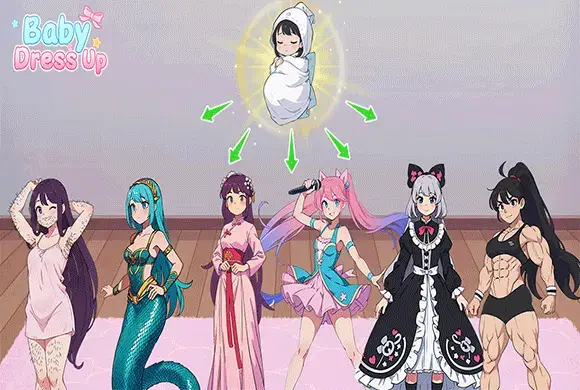
Baby Dress Up: Fashion Doll Maker is a beautifully crafted 2D simulation game that invites players into a world of endless fashion and creativity. Designed with a clean and vibrant anime art style, the game provides a massive digital canvas for aspiring stylists to bring their characters to life. Players can customize every aspect of their "Fashion Doll," from detailed facial features and unique eye shapes to a wide range of hairstyles in various colors. The extensive wardrobe is packed with trendy tops, skirts, elegant dresses, and stylish shoes, allowing for millions of outfit combinations. Beyond clothing, the game offers a rich selection of accessories like masks, jewelry, bags, and even magical items. With its smooth interface and relaxing gameplay, Baby Dress Up allows you to save your masterpieces as high-quality photos and share your styling talent with others. Whether you're creating a modern street look or a mystical princess, this game is the ultimate destination for anime fashion lovers.
Key Game Features
Unlimited Customization: Tweak eyes, hair, and expressions to create a truly unique anime character. Extensive Fashion Wardrobe: Access thousands of items including dresses, tops, socks, and shoes in multiple styles. Detailed Accessory Selection: Enhance your look with stylish bags, jewelry, masks, and magical props. Vibrant Anime Art Style: Enjoy high-quality 2D graphics with a clean, modern aesthetic perfect for anime fans.
How to Play & Master
Start your fashion journey by selecting a character model. First, use the facial customization tabs to pick the perfect eyes, eyebrows, and mouth. Next, browse the hairstyle section to choose between various bangs and back hair options, and don't forget to pick a color! Move on to the clothing stage, where you can select from different categories like dresses, tops, and skirts. Tap an item to see it applied to your character instantly. You can add layers like socks, shoes, and jewelry for a complete look. Many special items can be unlocked by watching a short video. Once you are satisfied with your design, click "Complete" to choose a scenic background and take a final photo. Your styling will be ranked, and you can save it to your device!
Game Controls
Tap/Click: Select items, categories, and colors. Scroll: Browse through the long lists of fashion items.
Frequently Asked Questions (FAQ)
Q: How do I unlock items with the video icon?
A: Simply tap the item and choose to watch a short rewarded video to unlock it for your collection.
Q: Can I change the character's hair color?
A: Yes, many hairstyles come with color selection bubbles at the top of the hair menu.
Q: Where are my saved photos?
A: Photos are typically saved to the in-game gallery, and you may also find them in your mobile device's local album.
Princess Dressup
 615.1K
Christmas Nail Salon
525.8K
Express Shipping
782.8K
Guinea Pig Startup
498.4K
Horror Spranky Beats
797.7K
Fashion Girl
847.0K
Crylic Nail Tips
835.9K
Element Synthesis
820.9K
Dr.Funny
352.6K
In Treatment
530.1K