


© 2026 minigame.com

Tritt den Minis mit Freunden bei



Empfohlen










Supermarket Go Shopping
- Bewertung
- 5
- Ausrichtung
- Querformat
- Erschienen
- 2026-06-09
Was ist SupermarketGoShopping
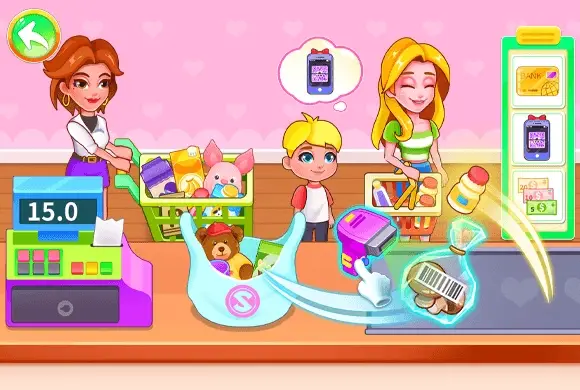
SupermarketGoShopping ist ein farbenfrohes und lehrreiches 2D-Simulationsspiel, das junge Spieler dazu einlädt, hinter die Kasse eines geschäftigen Supermarkts zu treten. In dieser interaktiven Welt übernehmen Kinder die Rolle einer Supermarkt-Kassiererin und lernen spielerisch die Grundlagen des Einkaufsmanagements in einer sicheren und unterhaltsamen Umgebung. Das Spiel bietet eine große Auswahl frischer Gemüsesorten wie Brokkoli, Karotten und Auberginen, die jeweils richtig behandelt werden müssen. Die Spieler lernen, verschiedene Lebensmittel zu erkennen, sie präzise auf einer digitalen Waage zu wiegen und mithilfe eines Scanners Barcodes zu verarbeiten. Dank seiner bunten Cartoon-Grafik, motivierender Soundeffekte und einfacher Drag-and-Drop-Mechanik bietet SupermarketGoShopping ein lohnendes Spielerlebnis, das frühe Mathe- und Sortierfähigkeiten fördert. Es ist der ideale digitale Spielplatz für Vorschulkinder und junge Spieler, die gerne Alltagssituationen nachspielen und dabei ihre Beobachtungs- und kognitiven Fähigkeiten weiterentwickeln.
Wichtige Spieleigenschaften
Lernspaß: Vermittelt Kindern spielerisch das Erkennen verschiedener Gemüsesorten und das Verständnis grundlegender Supermarkt-Abläufe. Realistisches Kassenerlebnis: Kinder können Artikel auf einer digitalen Waage wiegen und Barcodes scannen – genau wie im echten Laden. Ansprechende Optik: Helle 2D-Cartoon-Grafik und eine kindgerechte Benutzeroberfläche, speziell für junge Lernende entwickelt. Förderung von Fähigkeiten: Unterstützt kognitive Entwicklung, Zuordnungsfähigkeit und Feinmotorik durch interaktive Drag-and-Drop-Aufgaben.
So spielst du & wirst zum Profi
Dein Job als Kassiererin in SupermarketGoShopping ist einfach und intuitiv! Zu Beginn des Spiels siehst du links einen grünen Einkaufskorb voller frischer Gemüsesorten. Dein Ziel ist es, alle Artikel aus dem Korb abzuarbeiten. Ziehe zunächst mit Maus oder Finger ein Gemüse aus dem Korb auf die Waage in der Bildschirmmitte. Sobald das Gemüse auf der Waage liegt, schaue auf das blaue Bedienfeld rechts. Wähle dort das passende Symbol aus, das dem gerade gewogenen Gemüse entspricht. Wenn du beispielsweise Brokkoli auf die Waage legst, findest und klickst du den Brokkoli-Button. Nach der richtigen Auswahl erscheint ein Barcode; der Scanner verarbeitet ihn automatisch, und der Artikel wird zur Kundenrechnung hinzugefügt. Wiederhole diesen Vorgang für alle Gemüsesorten im Korb, bis alle Artikel gescannt und der Einkauf abgeschlossen ist!
Spielsteuerung
Ziehe mit Maus oder Finger das Gemüse vom Korb auf die Waage. Tippe auf die entsprechenden Tasten des Touchpanels, um die Artikel zu scannen.
Häufig gestellte Fragen (FAQ)
F: Was soll ich tun, wenn ich das richtige Symbol nicht finde? A: Achte genau auf Form und Farbe des Gemüses auf der Waage; die Symbole im rechten Bereich sehen genauso aus wie die Lebensmittel. F: Kann ich die Artikel in beliebiger Reihenfolge scannen? A: Ja, du kannst mit jedem beliebigen Gemüse beginnen, solange du am Ende alle Artikel bearbeitest. F: Gibt es ein Zeitlimit für den Kassenvorgang? A: Nein, das Spiel ist zum Lernen und Entspannen gedacht, sodass Kinder in ihrem eigenen Tempo spielen können.
Bird Sort Puzzle
 191.3K
Goods Triple Match
674.8K
Pixel Color
498.4K
Color Border
260.2K
Egg Shooter Dinosaur
556.1K
Rebound Star
546.7K
Shaving My Body
316.7K
Stop Them All
328.6K
Happy Match Together
215.0K
Knife Throwing
891.8K